
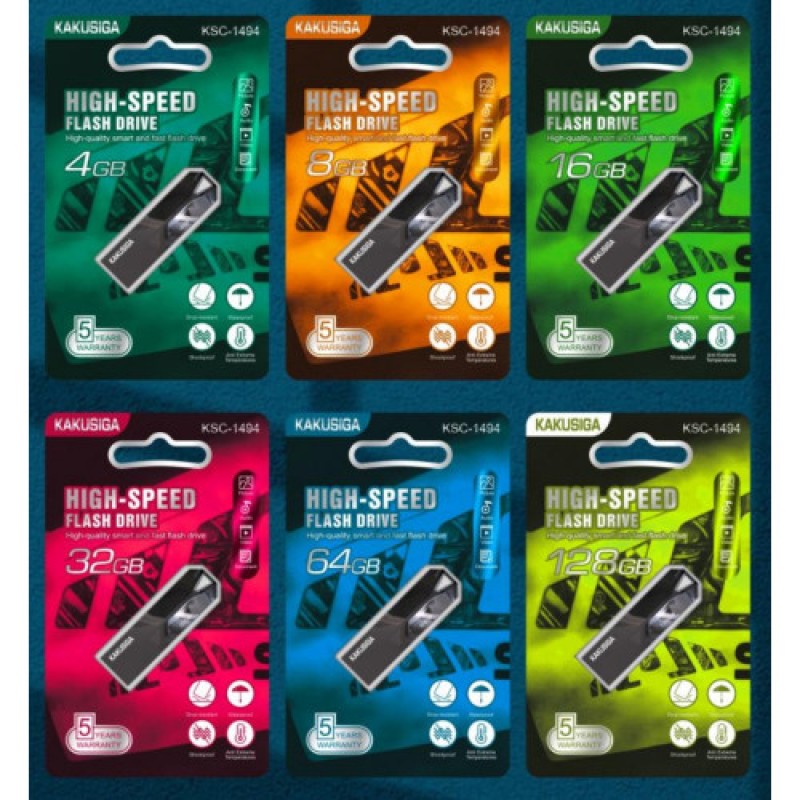
Kakusiga USB 2.0 High Speed Flash Drive 128 GB
- Product Code: KSC-1494 128GB
- EAN: 6921042135762
- Availability: 100
Kakusiga USB 2.0 High-Speed Flash Drive – 128 GB
Store, back up, and transfer essential documents, high-resolution media, and entertainment libraries effortlessly with the Kakusiga USB 2.0 High-Speed Flash Drive (128 GB). Engineered for dependable everyday digital storage, this high-capacity thumb drive offers massive local memory in an ultra-compact, portable form factor suited for students, home offices, and professional workstations.
Delivering generous 128 GB of plug-and-play solid-state storage, it connects instantly to laptops, desktop computers, smart TVs, car stereos, and digital media receivers without requiring software installations or drivers. Built into a durable, pocket-sized protective chassis, it provides an economical and secure way to carry extensive digital archives wherever you go.
Key Features & Specifications
-
Product Type: High-Capacity USB 2.0 Solid-State Flash Drive / Memory Stick.
-
Brand & Storage Capacity:
-
Brand: Kakusiga.
-
Storage Space: 128 GB large-capacity flash storage.
-
Provides room for tens of thousands of digital photos, extensive MP3 music catalogs, multiple Full HD movies, and massive office document archives.
-
-
Reliable USB 2.0 Interface & Speed:
-
Universal USB 2.0 Type-A connector delivering consistent, stable data transfer rates.
-
Stutter-free playback for multimedia files when plugged directly into car audio receivers or modern smart televisions.
-
Backward compatible with USB 1.1 ports and fully functional on USB 3.0/3.1/3.2 ports at standard USB 2.0 operational speeds.
-
-
Instant Plug-and-Play Simplicity:
-
100% driver-free installation on all major operating systems.
-
Powered entirely via standard 5V USB bus power from the host port—no external DC power supplies, adapters, or charging cables needed.
-
-
Universal Operating System Compatibility:
-
Compatible across Windows (11, 10, 8, 7, XP), macOS, Chrome OS, Linux, and Android (via OTG adapter).
-
Seamlessly mounts onto smart TVs, media players, projector consoles, and vehicle infotainment sound systems.
-
-
Durable, Pocket-Sized Chassis:
-
Compact, lightweight casing designed with an integrated lanyard/keychain loop hole to keep the drive safely attached to key rings, backpacks, or lanyards.
-
Resistant to everyday mechanical bumps, drops, dust, and static discharge.
-
Broad Universal Applications & Target Uses
-
PC & Mac Data Backup: Create local, offline backups of vital business spreadsheets, personal legal files, tax records, and family photo collections.
-
In-Car Entertainment & Audio Playback: Load your entire music and podcast library to play through vehicle USB dashboard ports without consuming mobile cellular data.
-
Smart TV & Home Theater Media: Store and stream Full HD movies, recorded video clips, and vacation slideshows directly on big-screen living room displays.
-
Academic Study & University Projects: Carry coursework, research papers, PDF textbooks, and multimedia presentations between university computer labs and home desktops.
-
Operating System Boot & Diagnostics: Perfect size for creating dedicated bootable emergency recovery media, Windows install drives, or Linux live environments.
Quick 4-Step Setup & Operation Guide
-
Insert Drive: Plug the USB-A connector gently into an available USB port on your PC, laptop, smart TV, or vehicle console.
-
Access Drive: Open your computer’s file manager ("This PC" or "Finder") and locate the new removable disk icon.
-
Transfer Files: Drag and drop files, photos, or folders directly into the Kakusiga flash drive window to start transferring.
-
Safely Eject: Right-click the drive icon and select "Eject" (or drag to the Trash on macOS) before physically unplugging to prevent data loss or file corruption.


