
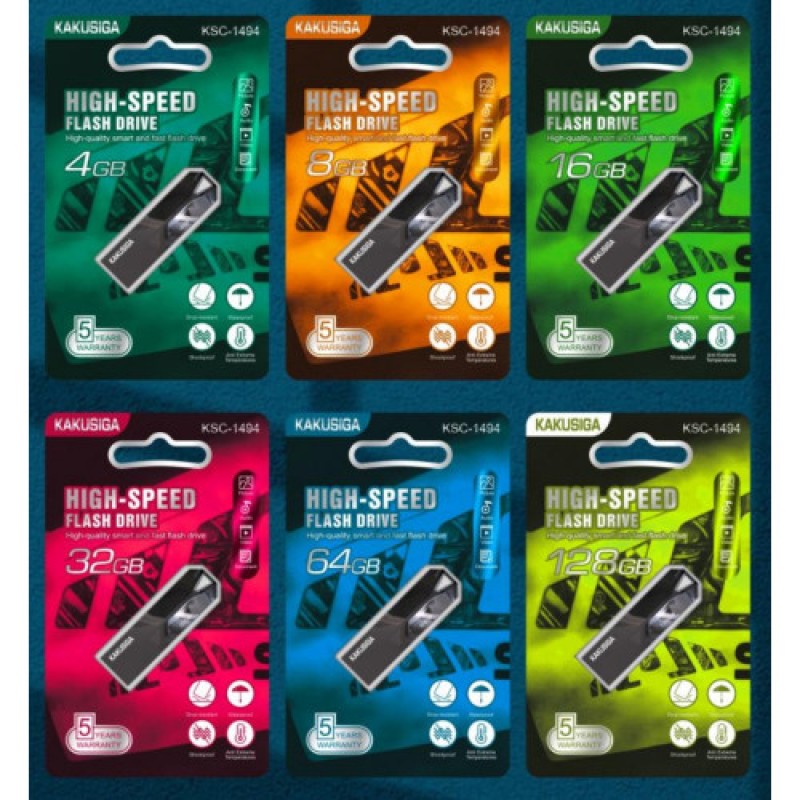
Kakusiga USB 2.0 High Speed Flash Drive 8 GB
- Product Code: KSC-1494 8GB
- EAN: 6921042135724
- Availability: 100
Kakusiga USB 2.0 High-Speed Flash Drive – 8 GB
Store, carry, and transfer daily documents, audio tracks, and school assignments effortlessly with the Kakusiga USB 2.0 High-Speed Flash Drive (8 GB). Engineered for practical, everyday data portability, this dependable thumb drive offers solid-state storage in a lightweight, pocket-sized profile built for school, office, and home entertainment setups.
Offering 8 GB of plug-and-play local storage, it connects directly to laptops, desktop PCs, smart TVs, soundbars, and in-car stereo consoles without requiring extra drivers, software setup, or internet access. Featuring an integrated keyring loop and a resilient exterior casing, it provides an economical, dependable solution for quick file sharing and offline data storage.
Key Features & Specifications
-
Product Type: Compact USB 2.0 Solid-State Flash Drive / Thumb Drive.
-
Brand & Storage Capacity:
-
Brand: Kakusiga.
-
Storage Space: 8 GB solid-state flash memory.
-
Provides room for thousands of office documents, spreadsheets, PDF manuals, MP3 audio tracks, and presentation slide decks.
-
-
Stable USB 2.0 High-Speed Performance:
-
Standard USB 2.0 Type-A interface delivering dependable, jitter-free read and write transfer rates.
-
Ensures smooth audio and video media streaming when plugged directly into car audio units, digital projectors, or smart TVs.
-
Backward compatible with USB 1.1 ports and functional across USB 3.0/3.1/3.2 host sockets at standard USB 2.0 operating speeds.
-
-
Instant Plug-and-Play Simplicity:
-
100% driver-free operation across modern and legacy operating systems.
-
Powered directly through the host device's 5V USB bus—zero batteries, charging cables, or external DC power bricks required.
-
-
Universal Cross-Platform Compatibility:
-
Fully compatible with Windows (11, 10, 8, 7, XP), macOS, Chrome OS, Linux, and Android devices (via compatible OTG adapter).
-
Easily mounts to home theater systems, DJ consoles, car stereos, and digital photo frames.
-
-
Pocket-Sized, Durable Build:
-
Ultra-compact, lightweight silhouette easily slips into pockets, pencil cases, or wallet slots.
-
Features a built-in lanyard/keychain hole to keep your drive tethered to key rings or bags.
-
Resists daily bumps, surface scratches, dust, and static interference.
-
Broad Universal Applications & Target Uses
-
In-Car Music & Audio Playback: Load your favorite driving playlists, podcasts, and audiobooks to play directly through dashboard USB ports without burning mobile data.
-
School & University Coursework: Transport essays, presentations, PDF textbooks, and research assignments easily between library labs and personal laptops.
-
Office & Business Document Sharing: Quickly hand off contracts, invoices, spreadsheets, and print-ready digital files to colleagues or clients.
-
Smart TV & Media Streaming: View personal photo albums, family video clips, or home movie files on big-screen living room displays.
-
Bootable Recovery & Utility Drive: Ideal capacity for holding bootable OS repair disks, firmware update images, and diagnostic software suites.
Quick 4-Step Setup & Operation Guide
-
Insert Drive: Plug the USB-A connector into any available USB port on your desktop, laptop, television, or car audio unit.
-
Locate Disk: Open your computer's file manager ("File Explorer" on Windows or "Finder" on macOS) to access the newly mounted removable storage drive.
-
Transfer Files: Drag and drop your chosen files or folders directly into the flash drive folder to begin copying.
-
Safely Eject: Right-click the drive icon and select "Eject" (or drag to the Trash on Mac) before removing the drive to protect data integrity.


